A wind event crosses three states on a Thursday night. By Monday the property desk has three hundred new notices, the independent adjusters on the panel are already booked by other carriers, and the reinsurance team wants to know where the event stands against the catastrophe treaty before anyone has finished counting.
Catastrophe handling is a different job from claim handling. The unit of work stops being one claim and becomes the event: which claims belong to it, who can inspect them, how fast, and what the whole thing costs net of reinsurance. This post follows one event through InsightCW's catastrophe mode. The event, the counts and the amounts are illustrative.
| Actors | Property claims manager (declares the event), CAT desk adjusters, independent adjusters (IA) on the vendor panel, reinsurance team |
|---|---|
| Trigger | A declared catastrophe — entered by a manager or taken from InsightPulse's catastrophe feed |
| Line | Property, commercial property, homeowners |
| Agents involved | Intake, coverage, reserving, fraud, correspondence on each claim; the event itself is handled by catastrophe mode |
| Decisions and authority | Declaring the event and tagging claims (manager), surge assignment (manager), reserves and payments inside the authority matrix |
| Systems touched | InsightPulse (active events), InsightCede (each claim's movements, plus the event roll-up and CAT XoL position) |
| Outcome | Every claim the event caused is tagged, inspected inside its clock, reserved with a basis, and the event's net position is known to reinsurance as it develops |
| What is measured | Days notice-to-inspection during surge, IA on-time rate, share of event claims tagged, reserve development on the event, time to first reinsurance notice |
What a catastrophe does to a claims desk
x10 in days"] B --> C["Claims keyed one
by one, no event tag"] C --> D["IAs assigned by
whoever answers"] D --> E["Inspection clocks
missed"] E --> F["Event total built
in a spreadsheet"] F --> G["Reinsurers notified
weeks later"] style E fill:#fdecec,stroke:#e57373 style F fill:#fff4e2,stroke:#f4a03a
The usual failures are tagging and capacity. If claims are not tied to the event at notice, the event total is a reconstruction, and reinsurance recoverables under a catastrophe treaty depend on that total. If IAs are assigned by availability rather than by state and capacity, the panel's best firm is overloaded in one state while another firm sits idle in the next.
or imported from Pulse"] --> B["Tag preview:
claims matching state,
peril and dates"] B --> C{"Manager tags
the claims"} C --> D["Surge: IA assigned
by state and capacity,
diary for what they owe"] D --> E["Agents run on each
claim as documents land"] E --> F["Event dashboard:
count, incurred, paid"] F --> G["cat.event_loss to Cede:
position against
each CAT XoL layer"] style C fill:#e8f8f4,stroke:#22c1a4,stroke-width:2px style G fill:#efeafe,stroke:#7c6cf0
Who talks to whom
Step by step
The manager declares the event with a code the market will recognise (for example a PCS number), a name, the peril, the start and end dates and the affected states. Alternatively the event comes from InsightPulse's catastrophe feed; CW reads the payload it is given and never calls Pulse itself.
Each notice is an ordinary first notice: the policy at the loss date from InsightUW, completeness, the duplicate check. The acknowledgement clock starts on every one of them.
Before anything is changed, CW shows which open claims match the event's states, peril and dates. Claims already tagged to another event are left alone.
Tagging is bulk and audited per claim. Every tagged claim's events now carry the event's code, so InsightCede can join each claim's cessions to the event.
Surge puts an independent adjuster on every open event claim that has none: a firm that serves the loss state, least loaded first, never over its capacity, preferred firms ahead on a tie. Each assignment is a surge task naming the event, with a diary for what the vendor owes. A second surge does not double-assign.
Inspection reports arrive as documents and re-run the agents on that claim: coverage per coverage line, a reserve with its basis, fraud indicators in context. During surge the agents' value is volume — every claim gets the same first read.
IA invoices are reviewed against the vendor's fee schedule on bill_review rules: items not on the schedule and more units than the schedule allows are cut line by line before the invoice becomes an expense payment.
The event's cumulative position — claim count, incurred, paid — goes to InsightCede. Cede records it as a notice, never a second cession (each claim was already ceded on its own events), and shows where the whole event stands against each catastrophe excess-of-loss treaty in force on the event start date. A resend of the same position has the same event id.
Each IA firm's scorecard is built from what it actually did: cycle time, on-time rate, reassignments and invoice reductions. That is the evidence for the next event's panel.
What the screens show
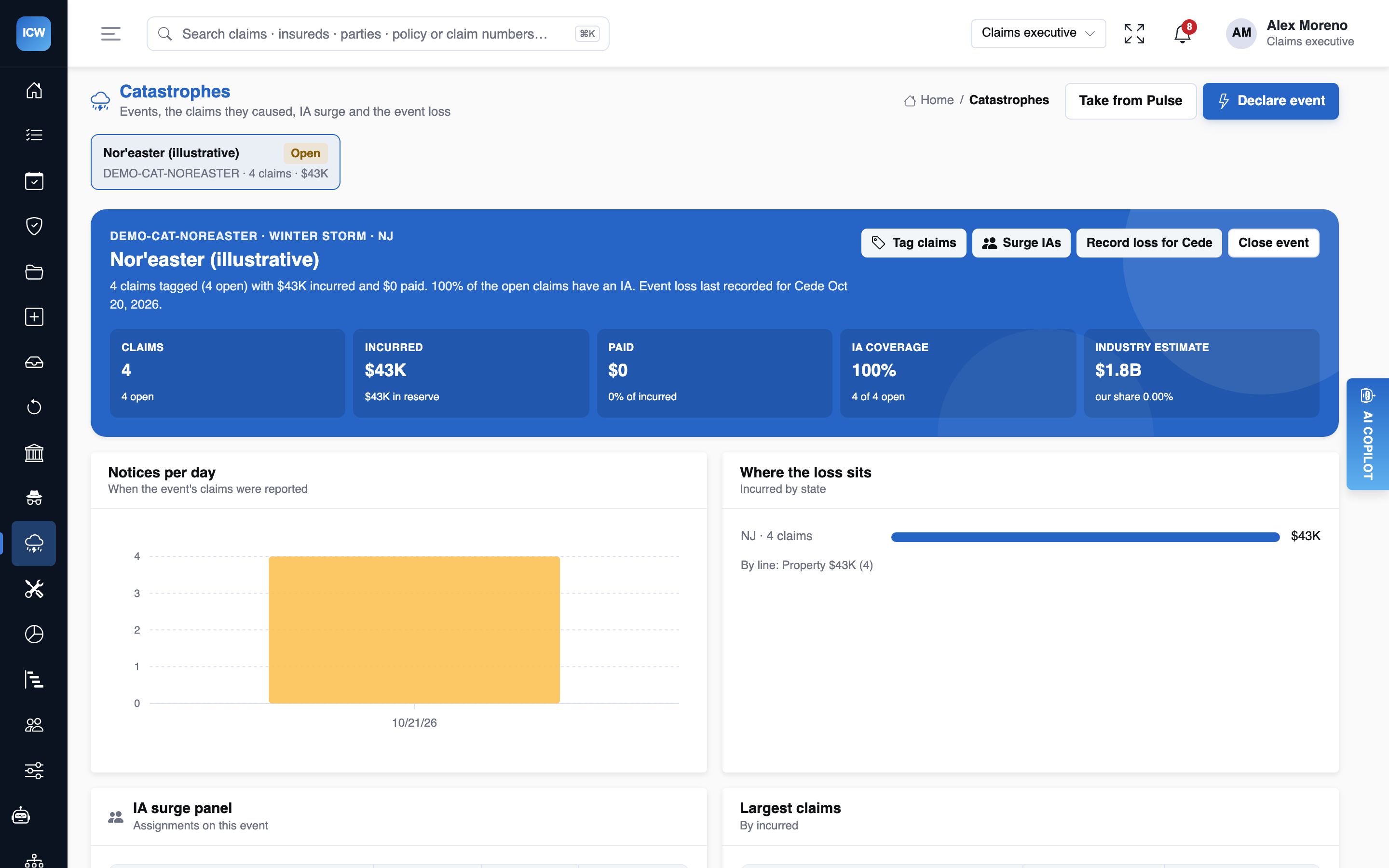
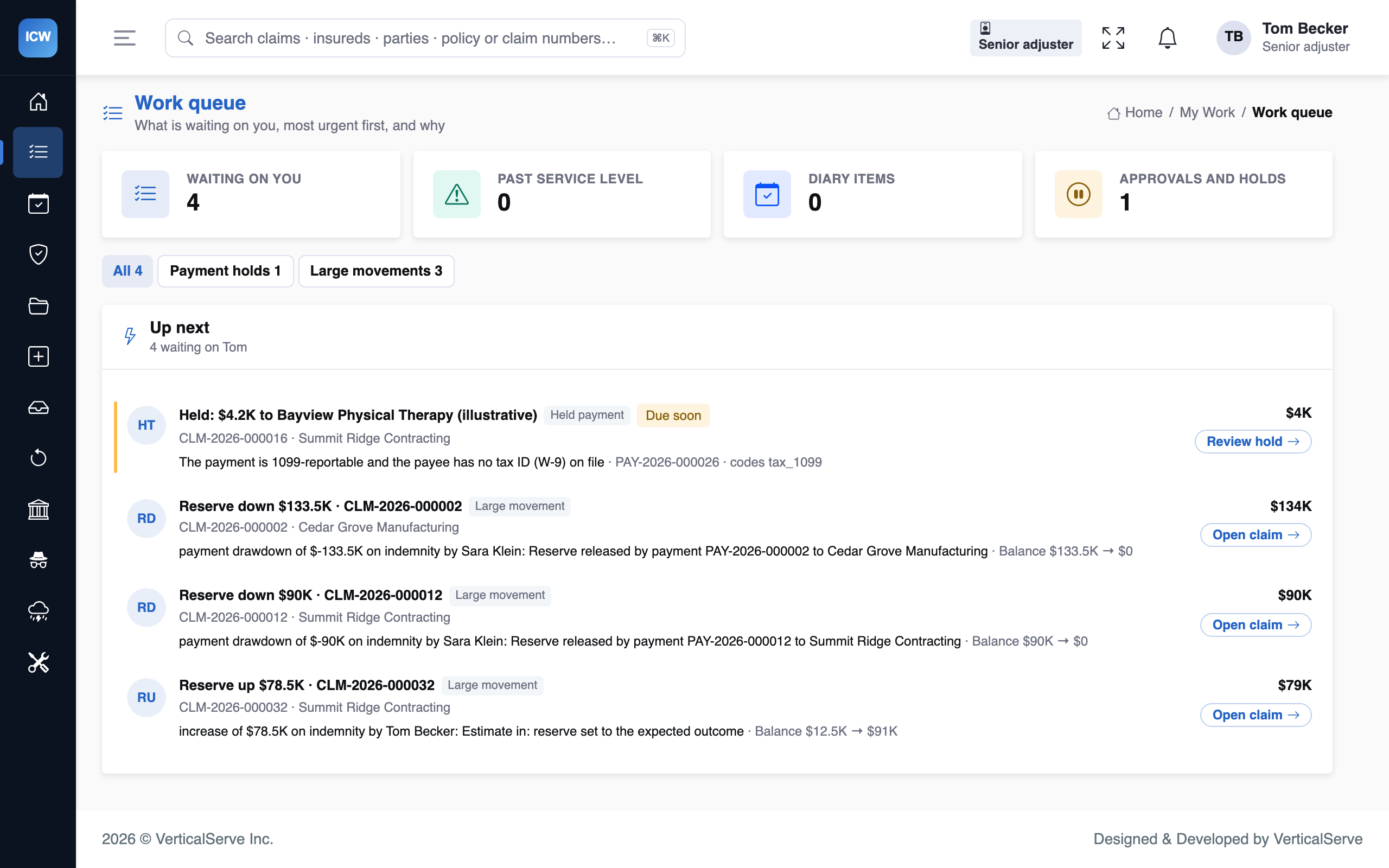
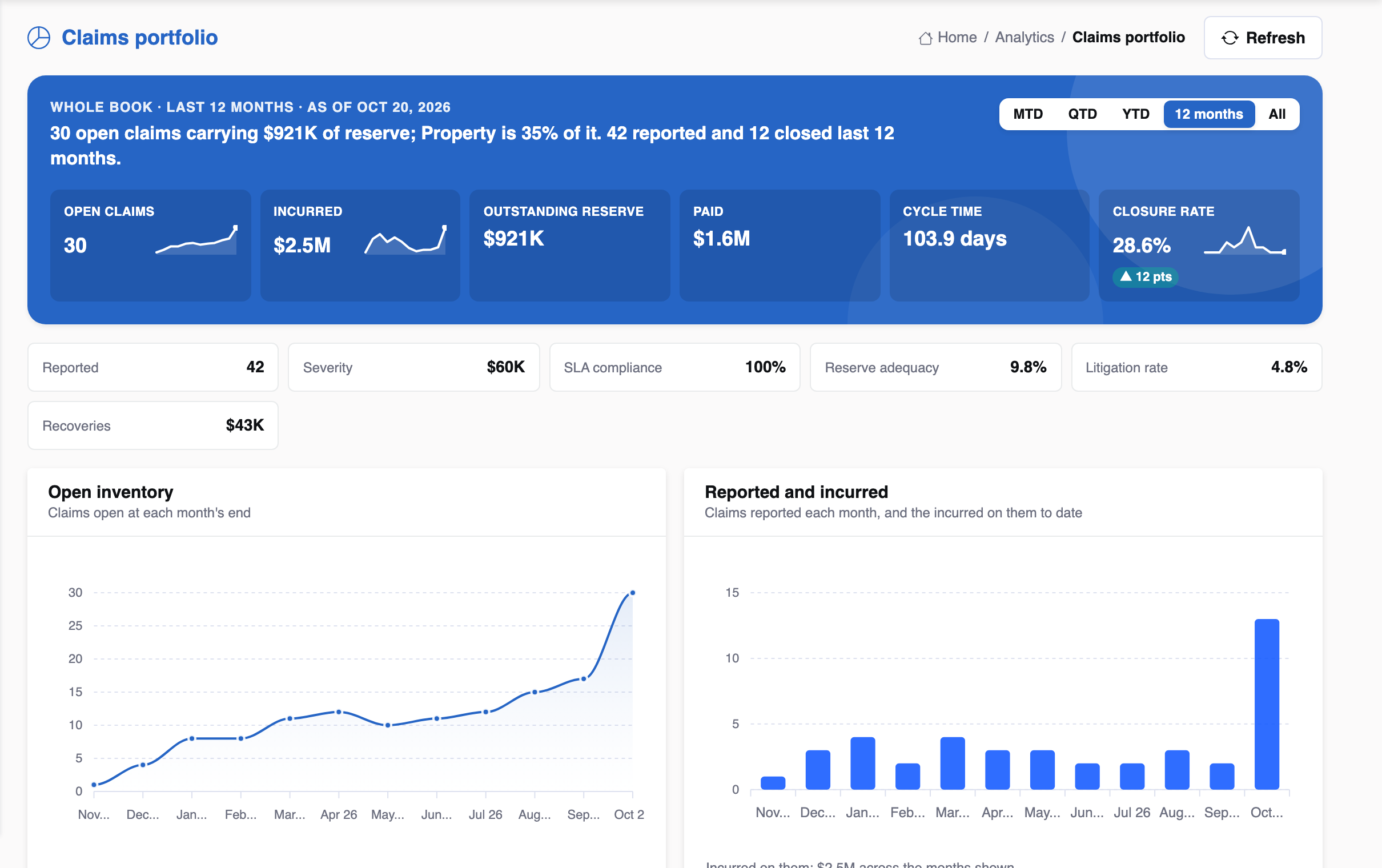
What the agents said, and what each answer rests on
| Agent | What it prepared | What it cites | Who decides |
|---|---|---|---|
| Intake | Notice complete; loss date inside the policy term; no duplicate on the policy | Notice, policy term from UW, duplicate search | Adjuster |
| Coverage | Dwelling covered; additional living expense nearly exhausted on one claim | Policy at the loss date, the property line's checks (PR_ALE, PR_COINSURANCE) | Adjuster confirms |
| Reserving | Reserve from the IA estimate where present; otherwise the line's closed claims | Inspection report, closed comparables | Adjuster, within authority |
| Fraud | One claim: loss reported after the policy ended; explained, not referred | FRD_AFTER_POLICY_END, policy term | Adjuster |
| Correspondence | Acknowledgement letters due on the 24-hour clock across the event's claims | The acknowledgement clocks | Adjuster sends |
Why the event roll-up is a notice, not a cession
Each claim's reserve movements and payments already reach InsightCede as they happen, and those are what cede to treaties. If the event total were ceded again, the same dollars would be counted twice. The roll-up exists so reinsurance can see the occurrence — the event against each catastrophe layer — next to the per-claim ledger, and spot a gap between the two.
Edge cases, and how authority stops them
| What happens | What InsightCW does |
|---|---|
| A claim matches two events | Tagging leaves a claim already tied to another event alone; moving it is a deliberate untag and tag, both audited. |
| The panel has no capacity in a state | Surge never assigns past a firm's capacity. Claims it cannot place are listed, and supervisors are told how many claims have no IA with capacity in their state, so a vendor can be added rather than one overloaded. |
| No catastrophe treaty covers the event's lines | Cede's note says so plainly instead of showing an empty position. |
| A demo or seeded event | Its roll-up is recorded as illustrative and never sent. |
| Agents re-run on every inspection upload | Autorun is debounced per claim, and never triggered by something an agent itself did. |
The event, as reinsurance sees it
The roll-up InsightCW sends is cumulative — the event's position, never a delta — and the event id names the position, so resending the same position is the same event and changes nothing. In InsightCede it is recorded as a notice. Its note shows the event against each catastrophe excess-of-loss treaty in force on the event start date, for the lines that treaty covers, and what the event's claims have already ceded on their own events. An illustrative position:
| Layer illustrative | Attachment | Limit | Event loss in layer |
|---|---|---|---|
| Retention | — | 1,000,000 | 1,000,000 |
| Layer 1 | 1,000,000 | 1,000,000 | 1,000,000 |
| Layer 2 | 2,000,000 | 3,000,000 | 650,000 |
This puts the occurrence view next to the per-claim ledger, so a gap between them — a claim that belongs to the event but was never tagged, say — is visible while it can still be fixed. InsightCede also offers a register of the latest position per catastrophe.
Ask the copilot
| Ask the copilot | Lookups it calls | What the answer covers |
|---|---|---|
| “Is this claim part of the storm, and who is inspecting it?” | claim_overview, parties_and_approvals, diary_and_clocks | The event the claim is tagged to, the IA assigned and the diary for the inspection report. |
| “What's overdue on this claim?” | diary_and_clocks | Inspection and acknowledgement clocks with hours left or late. |
| “Is the reserve adequate given the inspection?” | reserves_and_payments, documents, decision_record | The reserve, the inspection estimate it rests on and the reserving agent's view, with sources. |
Tuning it for your book
- The IA panel. Surge is only as good as the panel: states served, capacity and preferred flags per firm. Keep them current between events; the vendor scorecard tells you which firms earned their place last time.
- Fee schedules. Vendor invoices are cut on
bill_reviewrules against each firm's schedule. Load the schedules before the season, not during the event. - The surge due date. Surge assignments default to a three-day inspection. Set it per event to what the panel can honour.
- Pulse. If InsightPulse is connected, events can be taken from its feed rather than typed in, which keeps the event code identical across the suite.
On the desk
Your queue is ranked by clocks and money, the IA is assigned, and each inspection report re-reads the claim for you. The event page shows where the whole event stands.
For claims IT
Tagging stamps the event on each claim; claim events carry the market code and the event's guid; cat.event_loss is a typed event in the contract, consumed by Cede's signed intake.
For claims leadership
The questions you get asked — how big, how fast, how much is ceded — are answered from one ledger, so the board number and the reinsurance number agree.
Variations on this event
A hailstorm with thousands of small claims
The mechanics are the same; the arithmetic changes. Tagging is bulk, surge places what capacity allows, and the queue ranking matters more: past-due clocks first, then money at stake, then age. Fast-track eligibility on the decision record lets the desk move small, clean claims without the full workflow.
An event that crosses into a second treaty year
InsightCede positions the event against the catastrophe treaties in force on the event start date. If the event's end date sits in a new treaty year, that is a question for the reinsurance team, and the event's dates on InsightCW are the record they work from.
A wildfire with total losses
Total losses raise salvage opportunities where there is anything to salvage, and additional living
expense runs long. PR_ALE refers a claim whose ALE is nearly exhausted, so the
adjuster has the conversation with the family before the money stops rather than after.
Rolling it out before the season
- Panel: load every IA firm with the states it serves, capacity, preferred flag and fee schedule. Surge cannot do better than the panel it is given.
- Drill: declare a test event against a handful of seeded claims, preview the tags, surge, and check the roll-up in InsightCede. Demo and seeded rows are recorded as illustrative and never sent.
- Agents: keep every claims agent at L2 or below during an event. Volume is the argument for automation and also the argument for keeping a person on every decision when the desk is stretched and the claims are unusual.
- After the event: read the vendor scorecards and reserve development on the event's claims; both feed next season's panel and thresholds.
Questions we get asked
Does InsightCW call InsightPulse during an event?
No. An event can be imported from Pulse's catastrophe feed, but CW reads the payload it is given; it makes no call to Pulse itself. Declaring an event by hand works the same way.
Can a claim be in two events?
Not at once. Tagging leaves a claim already tied to another event alone; moving it is an untag with a reason and a new tag, both audited.
What does the reinsurance team receive, and when?
Each claim's reserve movements, payments and recoveries as they happen, and the event roll-up as a typed cat.event_loss event whenever the position is sent. A resend of the same position is the same event.
Which model do the agents use, and what if it is unavailable?
By default the agent steps use Claude Haiku 5.5 through the platform's model client (on Bedrock where a region is configured), with a daily budget per agent; over budget, the fast model answers. If no model is configured, or a call fails, or the answer does not parse, the agents' rule-based findings stand and the step says the model did not run. Nothing in the claim waits on a model.
What the person still decides
- That it is an event at all, and its boundaries: dates, states, peril.
- Which claims belong to it. The preview proposes; the manager tags.
- Who inspects. Surge assigns by the rules the manager set; reassignment is a person's call.
- Every reserve and payment, inside the authority matrix, exactly as outside a catastrophe.
For how claim events reach reinsurance more generally, see claims into reinsurance.